 Surya Prarap Singh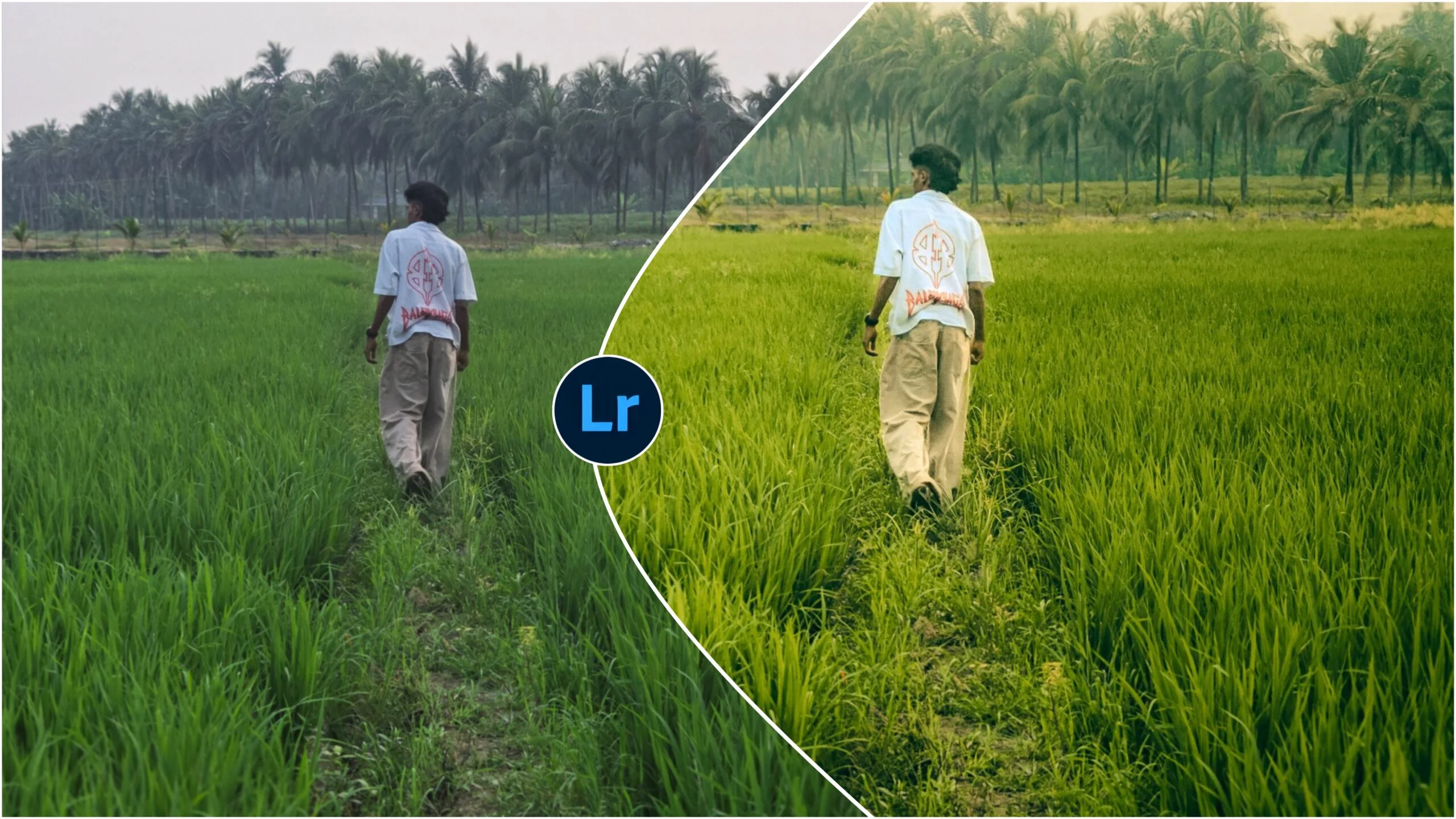
In the world of digital photography, the difference between a “good” photo and a “breathtaking” one often lies in the post-processing. We’ve all been there: you capture a stunning landscape or a perfect portrait, but the raw file looks a bit… flat.
This is where Lightroom Ground 4K Presets come into play. If you are looking to give your images a professional, high-resolution, and cinematic “Ground” aesthetic—characterized by earthy tones, deep shadows, and crisp textures—you’ve come to the right place.
In this guide, we’ll dive deep into why these presets are trending in 2026, how to use them effectively, and why they are essential for any creator aiming for that 4K-quality finish.
What are Lightroom Ground 4K Presets?
Before we get into the “how-to,” let’s talk about the “what.” “Ground” presets generally refer to a color grading style that emphasizes natural, organic, and earthy elements. Think of the mossy greens of a forest, the muted browns of a desert, or the deep grays of urban stone.
The “4K” designation isn’t just a buzzword. It signifies that these presets are optimized for high-dynamic-range (HDR) editing. They are designed to maintain skin tones and fine details even when applying heavy color grades, ensuring your photos look sharp on everything from a smartphone screen to a massive 4K monitor.
Why Every Photographer Needs a Solid Preset Pack
- Consistency: Keep your Instagram feed or portfolio looking uniform.
- Efficiency: Save hours of manual tweaking.
- Inspiration: Sometimes, seeing a preset transform your photo gives you a new vision for the final edit.
How to Install and Use Ground 4K Presets
If you’re new to Lightroom, don’t worry. Using these tools is incredibly straightforward.
For Lightroom Desktop (CC and Classic):
- Download your
.xmpfiles. - Open Lightroom and go to the Develop module.
- On the left panel, click the + icon in the Presets tab and select Import Presets.
- Select your Ground 4K files, and you’re ready to go!
For Lightroom Mobile:
- Import the
.dngfiles provided in your preset pack into the Lightroom app. - Open the image, tap the three dots in the top right, and select Create Preset.
- Name it (e.g., “Ground 4K – Moody Forest”) and save it to your User Presets.

FAQ: Everything You Need to Know
Are these presets free? There are both free and premium versions of Ground 4K presets. While free ones are great for beginners, premium packs usually offer better “skin tone protection” and more variety.
Will they work on JPEG photos? Yes, but for the best “4K” results, we always recommend shooting in RAW. RAW files hold much more data, allowing the preset to recover shadows and highlights that would be lost in a JPEG.
Are they compatible with mobile? Absolutely. Most modern Ground 4K packs come with .dng files specifically for the Lightroom Mobile app (iOS and Android).
Conclusion: Elevate Your Visual Storytelling
In an era where everyone is a photographer, having a unique visual “voice” is more important than ever. Lightroom Ground 4K Presets offer a shortcut to professional-grade color grading, giving your work an organic, high-end feel that resonates with viewers.
Whether you are a travel blogger, a wedding photographer, or someone who just wants their vacation photos to look like a movie, these presets are a powerful addition to your creative toolkit.
Ready to transform your gallery? Start experimenting with Ground tones today and watch your images come to life in stunning 4K detail.


)
)