 Surya Prarap Singh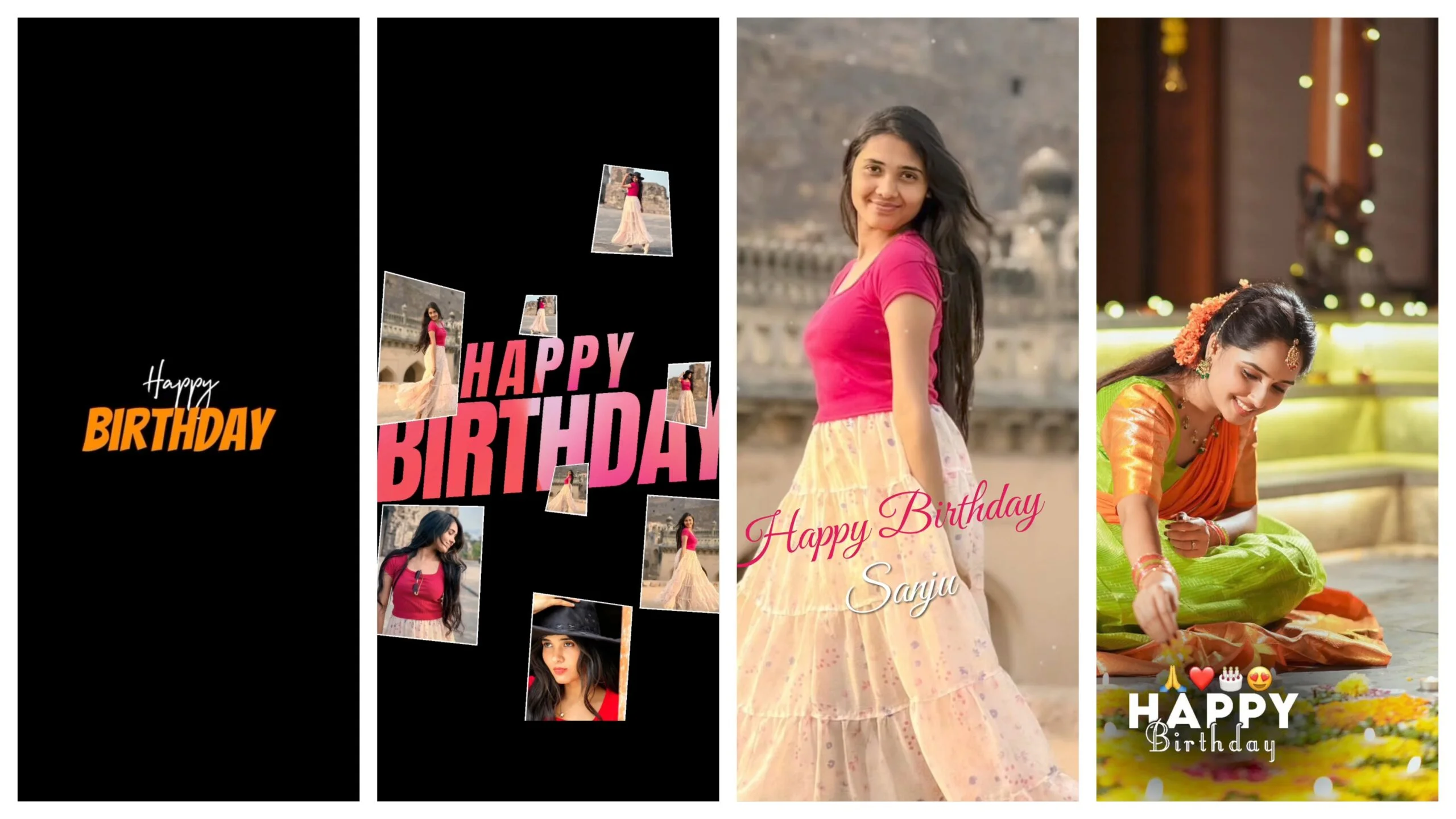
Birthdays are no longer just about cakes, candles, and balloons. In today’s social media driven world, a birthday isn’t truly celebrated until it has been turned into a beautifully edited reel and shared across Instagram, TikTok, or Facebook. For girls especially, birthday reels have become a creative way to express personality, style, and memories in just fifteen to thirty seconds. And when it comes to creating that cinematic, aesthetic look without spending hours on complicated editing software, Alight Motion presets have become the go-to tool for thousands of content creators.
In this article, we’ll walk through everything you need to know about editing girls’ birthday reels using Alight Motion presets — why they’re so popular, how they work, and how you can use them to create stunning, professional-looking content.
Why Birthday Reels Have Become So Popular
A few years ago, birthday celebrations were mostly documented through simple photo albums or a handful of Instagram posts. Now, short-form video content dominates social media, and reels have replaced static photo dumps as the preferred way to celebrate special occasions. There’s something inherently more emotional and engaging about a well-cut video set to music compared to a static picture.
For girls, birthday reels often carry a personal storytelling element — flashing back to childhood photos, showing outfit changes, celebrating with friends, or simply capturing candid, glowing moments. A reel edited with the right transitions, color grading, and text animations can turn an ordinary birthday clip into something that feels like a mini movie.
What Makes Alight Motion the Preferred Editing App
Alight Motion has grown into one of the most trusted mobile video and animation editing apps, particularly among younger creators who want professional results without needing a laptop or expensive software like Adobe Premiere or After Effects. It’s available on both Android and iOS, and its layer-based editing system mimics desktop-grade tools, giving users far more creative control than typical mobile editing apps.
What truly sets Alight Motion apart, though, is its preset system. A preset is essentially a pre-built animation or effect — such as a transition, text animation, glitch effect, or color filter — that can be imported and applied to your own footage with just a few taps. Instead of manually keyframing every animation from scratch, which can take hours, creators can use presets to achieve the same polished look in minutes.
Why Presets Are a Game-Changer for Birthday Reels
When it comes to birthday reels specifically, presets solve a very real problem: most people don’t have professional editing skills, but they still want their content to look high quality. Alight Motion presets bridge this gap perfectly.
Here’s why presets work so well for birthday content:
Speed and convenience. Birthday reels are often edited and posted the same day, sometimes even during the celebration itself. Presets allow creators to produce a finished, aesthetic video in a fraction of the time it would take to build effects manually.
Consistency and quality. Presets are usually built by experienced editors who understand pacing, timing, and visual rhythm. Using them ensures your reel has smooth, well-timed transitions rather than jarring or amateur-looking cuts.
Personalization within structure. While presets provide the framework, users can still swap in their own photos, videos, text, and music, making each reel unique even though the underlying animation style is shared.
Trend alignment. Many popular Alight Motion presets are designed to match trending reel styles seen on Instagram and TikTok, which means using them can help content feel current and shareable.
Popular Preset Styles for Girls’ Birthday Reels
There are several preset styles that have become especially popular for birthday content aimed at girls:
Aesthetic pastel presets use soft color grading, warm tones, and glowing light leaks to give a dreamy, feminine feel — perfect for showcasing outfits, cake-cutting moments, or friend gatherings.
Glitter and sparkle text presets add animated glitter effects around birthday text overlays like “Happy Birthday to Me” or a name and age, giving the video a celebratory, magical touch.
Photo-to-video transition presets are ideal for reels that blend childhood photos with present-day clips, using smooth zoom, slide, or flip transitions to move between years.
Neon and glow presets are popular for nighttime birthday parties, adding vibrant color pops and glowing borders that make the video stand out on a feed.
Slow-motion cinematic presets slow down key moments — blowing out candles, laughing with friends — while adding subtle grain and film-like color correction for a more emotional, cinematic feel.
How to Use Alight Motion Presets Step by Step
Using a preset in Alight Motion is fairly simple once you understand the basic workflow:
First, download the preset file, usually shared as a .alightmotion project file from a creator or a preset pack website. Next, open Alight Motion and import the preset project into your app library. Then, replace the placeholder media in the preset with your own birthday photos or clips — this is usually done by tapping on the existing layer and swapping the source file. After that, adjust the timing if needed so your clips match the beat of your chosen background music. Finally, export the video in your preferred resolution, ideally 1080p or higher, to maintain quality when uploading to social platforms.
It’s worth noting that because compression happens during export and re-upload to platforms like Instagram, starting with a higher resolution helps your reel maintain sharpness even after platform compression.
Tips for Making Your Birthday Reel Stand Out
Beyond just applying a preset, a few small touches can elevate your final reel. Choose music that matches the emotional tone of your footage — upbeat pop for a lively party reel, or a soft acoustic track for a more sentimental, nostalgic edit. Keep your clips short and varied; rapid cuts between different moments tend to hold viewer attention better than long, uninterrupted shots. Pay attention to color consistency across all your clips so the final reel feels cohesive rather than mismatched. And don’t be afraid to combine two or three presets rather than relying on just one, since blending styles can create a more original and personalized result.
Final Thoughts
Alight Motion presets have made professional-level video editing accessible to anyone with a smartphone, and birthday reels are one of the best use cases for this technology. They allow girls to celebrate their special day with content that feels polished, trendy, and personal, without needing years of editing experience. Whether you’re going for a soft aesthetic look, a sparkly celebratory vibe, or a cinematic slow-motion montage, there’s a preset style out there that can bring your vision to life in just a few taps.
As social media continues to shape how we celebrate milestones, tools like Alight Motion are only going to become more essential for anyone who wants their birthday memories to look as good as they feel.


)
)